Professional real estate photography shot at 24–42 megapixels produces stunning images — and enormous PDFs. A listing brochure with 15 to 20 full-resolution photographs routinely reaches 30 to 80 MB. That's too heavy for email, too slow on a mobile data connection, and too large for most listing platforms to accept as a direct upload.
Compression closes that gap. Done correctly, a 60 MB listing brochure becomes a 6–10 MB document that attaches cleanly and opens immediately on any device — using QuickyDesk's free Compress PDF tool.
Why Listing PDFs Get So Large
- High-megapixel photography — Professional photos at 36–42 MP remain 3–8 MB each after standard JPEG compression within the PDF.
- 300 DPI export from design tools — Canva and Adobe InDesign export at print quality by default. For digital-only brochures, 96–150 DPI is indistinguishable on screen at one quarter the file size.
- Embedded floor plans — A floor plan at 300 DPI with color finishes can be 4–8 MB per page.
- ICC color profiles and font files — Professional design software embeds color profiles and fonts that add several MB of data irrelevant for screen viewing.
Target File Sizes by Distribution Channel
- Direct email — Under 10 MB
- Apartments.com — 5 MB hard limit
- WhatsApp sharing — Under 5 MB for fast loading on mobile data
- Zillow/Trulia supplemental — 5–10 MB
How to Compress a Listing PDF with QuickyDesk
Step 1: Check Your Design Tool Export Settings First
In Canva: choose "PDF Standard" instead of "PDF Print." In Adobe InDesign: use the "Smallest File Size" preset. This pre-optimization often reduces a 60 MB file to 20 MB before any compressor is applied.
Step 2: Open the Compress Tool
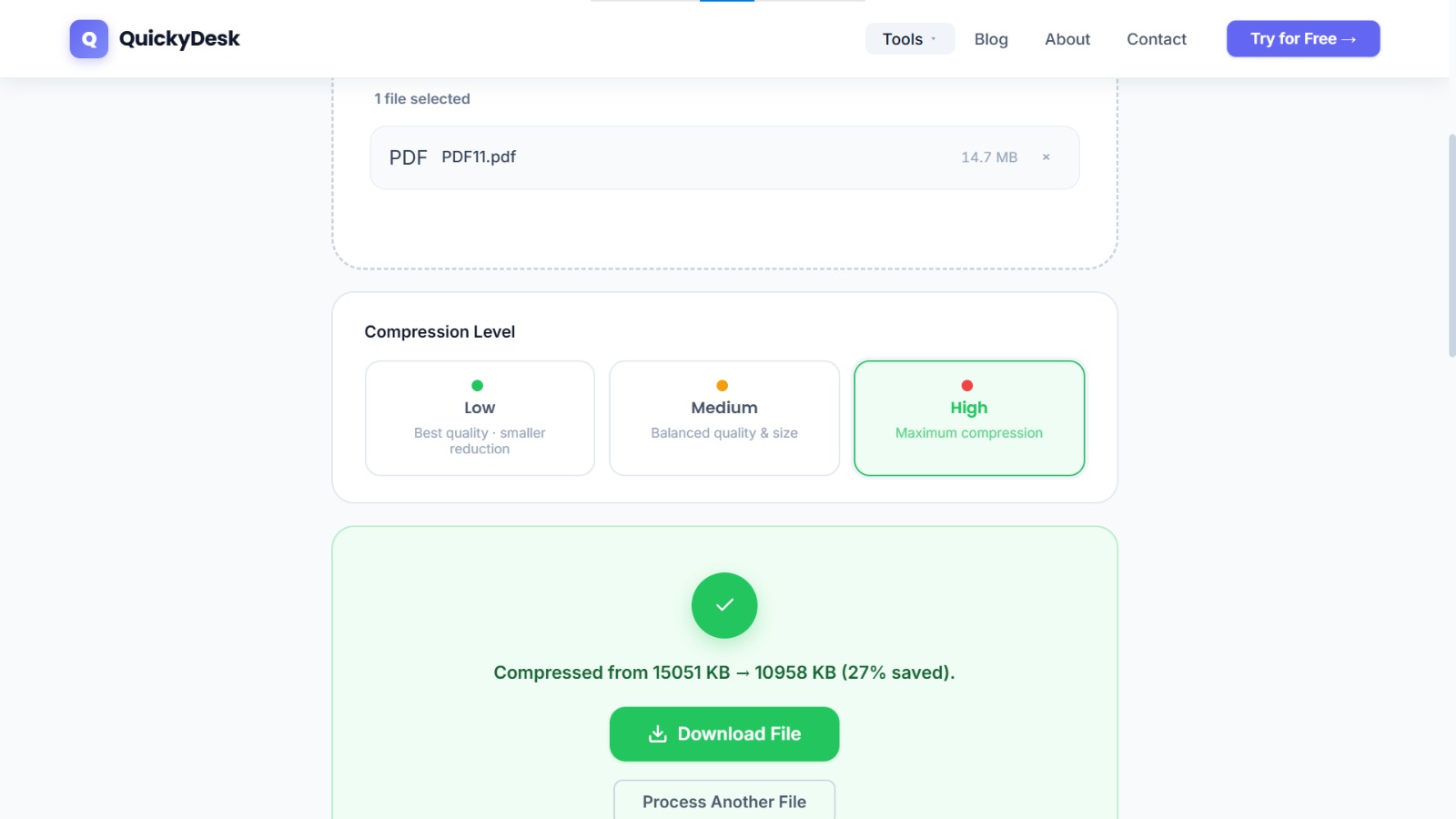
Navigate to QuickyDesk's Compress PDF page in any browser. No installation or account required.
Step 3: Upload the Listing PDF
For a 50–80 MB file, allow 30–60 seconds on a typical WiFi connection. On a mobile connection, allow 2–3 minutes.
Step 4: Download and Inspect
Open the compressed PDF and specifically check: the best photography at fit-to-page view, the kitchen and bathrooms at 100% zoom, floor plan room labels and dimensions, and the contact block. Then email the compressed listing to yourself and open it on your smartphone before sending to any prospect.
You may also want to use the free Merge PDF tool to merge multiple property documents — no account or download required.
When Compression Is Not the Right Solution
- For printing — Send the uncompressed original to any print vendor. Keep a separate compressed version for digital distribution.
- Photography was poor to begin with — Compression preserves quality problems at a smaller file size. Reshoot rather than compress.
- The file is already a reasonable size — A brochure that's already 6 MB doesn't need compression.
Recommended Two-Version Workflow
Store a high-resolution master in your files system for print and MLS image uploads. Maintain a compressed distribution version for all email, digital sharing, and portal uploads. Compress once from a high-quality master — never compress a file that's already been compressed.
For pre-market property brochures shared with pre-qualified buyers under NDA, consider watermarking the listing PDF with the recipient's name or "CONFIDENTIAL" to discourage unauthorized distribution before official listing launch.
QuickyDesk offers a complete free PDF toolkit — merge, split, compress, convert, protect, watermark, and more. No account required, no watermarks.
Frequently Asked Questions
Will compressed photos hurt our listing's performance on rental platforms?
No. Platform-featured photographs are uploaded as individual high-resolution images, not as part of a compressed brochure PDF. Platform-side photo quality is unaffected.
Can I compress a listing PDF on my phone between appointments?
Yes. QuickyDesk's Compress PDF tool runs in mobile browsers on iOS and Android. The workflow works on phone browsers and tablets.
What file size should I target for email distribution?
Under 10 MB is a safe target for direct email attachments. Most business servers accept up to 25 MB, but smaller files deliver faster and are less likely to cause delivery issues.