You finally hear back from the prospective client you've been trying to reach for two months. They ask to see your work. You send a Dropbox folder, a Behance URL, a Google Drive link, and a WeTransfer file that has almost certainly expired. Three days later: nothing. The work was good. The delivery wasn't.
Sending a portfolio as a single, well-ordered PDF changes that dynamic immediately. The recipient clicks one attachment. It opens. They scroll. Everything is there — in the order you intended, presented the way you designed it, with no dead links and no login prompts.
What Makes a PDF Portfolio Work
The goal isn't just to put your files in a single document — it's to create a presentation that moves the reader through your work with a clear narrative. The structure that works for most creative fields:
- Cover page — your name, discipline, and contact information. This is what they see when they open the file.
- One-paragraph introduction — who you are, what kind of work you do, and what you're currently looking for. Three to five sentences maximum.
- Work samples in curated order — not necessarily chronological. Lead with your best work, not your oldest.
- Brief context for each piece — a line or two explaining the project, your role, the brief, or the outcome. Context tells clients whether the work is relevant to their needs.
- Contact information and call to action on the final page — "Available for projects starting July 2026" invites a specific response.
Exporting Individual Work Samples to PDF
The merge process works best when every piece is already in PDF format. Here's how to export from the tools most creatives use:
- Figma: File → Share → Export to PDF
- Adobe Illustrator: File → Save As → Adobe PDF
- Adobe InDesign: File → Export → Adobe PDF (Print)
- Canva: Download → PDF Print (for the highest resolution)
- PowerPoint or Keynote: Export/Save As → PDF. Each slide becomes a PDF page.
- Google Slides: File → Download → PDF Document
Building the Portfolio Using QuickyDesk
- Gather and name your files. Before opening the merge tool, name your files in the order they should appear:
01_cover.pdf,02_intro.pdf,03_branding_project.pdf, etc. - Open QuickyDesk's Merge PDF tool. The merge process runs over a secure connection, and no copies of your portfolio files are retained after you download the output.
- Upload all your portfolio PDFs. Add them to the queue in order.
- Verify the sequence. Review the upload list and confirm the order matches your intended narrative flow.
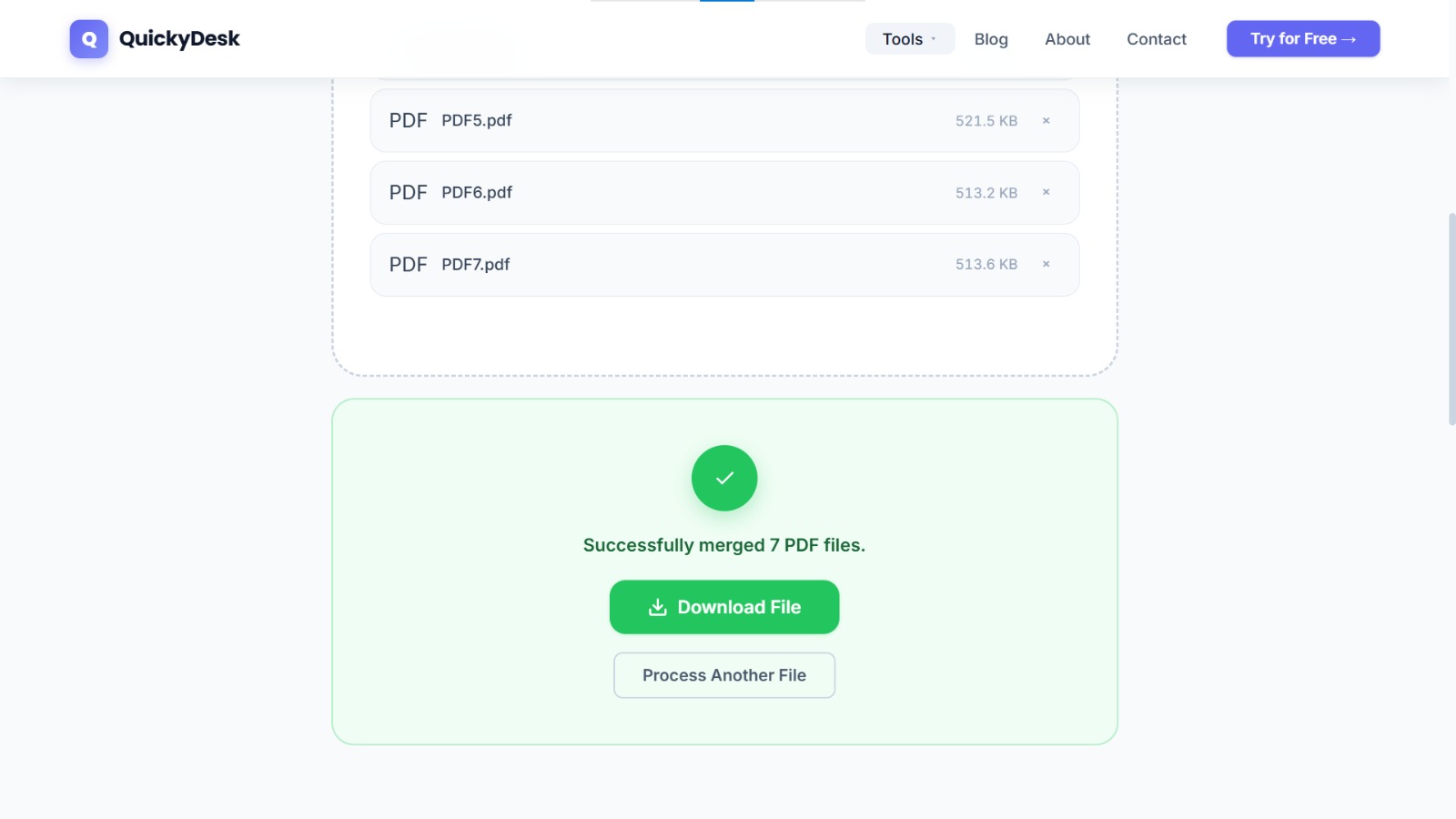
- Merge and download. For a typical portfolio of 8–15 files, processing completes in under 30 seconds.
- Open the merged file and do a full review. Check that the cover appears first, work samples flow in the intended sequence, no pages are duplicated or missing, and text is readable at 100% zoom.
Build your portfolio PDF now
Free, no login required. Your files are deleted automatically after processing.
Merge PDF Free →Managing File Size Without Sacrificing Quality
Target size: Under 15 MB for email delivery. Under 30 MB for portal or cloud sharing. Under 5 MB for applications that specify a limit.
After merging, if the portfolio exceeds your target, run it through QuickyDesk's Compress PDF tool. Photography-heavy portfolios see the most significant reduction — high-resolution photography compresses well without visible degradation at normal screen viewing sizes.
Maintaining two versions: For important client presentations, keep a high-resolution archive version and an email-ready compressed version. Label them clearly so you always send the right one.
Platform-Specific Portfolio Submission Notes
| Destination | Recommended Max Size | Notes |
|---|---|---|
| Email attachment | 15–20 MB | Some corporate mail servers block attachments over 10 MB |
| LinkedIn profile | 100 MB | Uploaded as a document; displays as an in-feed carousel |
| Job application portals | 5–10 MB | Varies by platform; check the specific job posting |
| Direct Dropbox / Drive link | No practical limit | Use for full-resolution archive sharing |
Protecting Your Portfolio PDF
If you're sending a portfolio to a specific client or employer and don't want it forwarded or repurposed, consider two options: adding a watermark with your name or "CONFIDENTIAL — [Client Name]" stamped across each page, or password-protecting the file. Our guide on how to watermark a PDF covers the full workflow, and how to password-protect a PDF explains encryption options.
QuickyDesk offers a complete free PDF toolkit — merge, split, compress, convert, protect, watermark, and more. No account required, no watermarks.
FAQ
Should my PDF portfolio be interactive with clickable links?
It can be. Hyperlinks embedded in a PDF remain active after merging, so if your individual project files contain clickable links, those links survive in the merged portfolio.
How many pages should a PDF portfolio have?
Quality over quantity. Most clients spend 3–5 minutes reviewing a portfolio. 12–20 well-chosen pages is a strong range. Beyond 30 pages, you risk losing attention before the best work appears.
Can I include both landscape and portrait pages in the same portfolio?
Yes. The merge tool preserves each page's original orientation. Just ensure the mixed orientations feel intentional, not accidental.
My portfolio contains client work under NDA. Is it safe to merge online?
QuickyDesk's processing doesn't involve human review of uploaded content, and files are not retained after download. If your NDA requires processing only on approved internal systems, use a desktop PDF tool instead.
Can I include video content in a PDF portfolio?
Standard PDF viewers don't play embedded video reliably across all devices. A better approach is to include a static thumbnail with a clickable link to the video hosted on Vimeo or YouTube.